
Download OXI tracker APK – Blood Oxygen Monitor, Pulse Oximeter, Health Tracker, SpO2, PR, PI, Sleep Analysis
Overview
OXI Tracker, developed by Guangdong Biolight Meditech Co. Ltd., is a free Android application designed to monitor blood oxygen levels using Bluetooth-enabled pulse oximeters. The app provides real-time data on SpO2 (peripheral capillary oxygen saturation), PR (pulse rate), PI (perfusion index), and displays their corresponding waveforms and trend charts.
It is tailored for individuals managing respiratory or vascular conditions, seniors over 60, athletes engaged in extreme sports, and professionals working in high-altitude or oxygen-deficient environments. The application supports offline data logging and enables users to track long-term trends, which can be useful for sleep state analysis. By offering a visual representation of oxygen levels over time, OXI Tracker helps users detect anomalies and support daily health monitoring.
The app is particularly useful for preventive care and routine wellness checks. It operates without requiring an internet connection, though cloud synchronization is available for users who wish to back up their data. The developer did not specify additional system requirements beyond Android compatibility.
The app is available for free download on Google Play and the official website.
Key Features & Capabilities
- Real-Time Blood Oxygen Monitoring – Displays live SpO2 levels, pulse rate (PR), and perfusion index (PI) with synchronized waveform visualization, enabling immediate assessment of oxygen saturation.
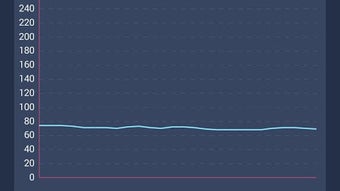
- Trend Chart Analysis – Stores historical data to generate trend charts, helping users identify patterns over time, especially useful for sleep monitoring and chronic condition tracking.
- Bluetooth Connectivity – Seamlessly links with most Bluetooth-enabled pulse oximeters, ensuring compatibility with a wide range of medical-grade devices.
- Offline Data Logging – Records measurements locally on the device without requiring an internet connection, ideal for use in remote or low-connectivity areas.
- Data Export Functionality – Allows users to export collected data in CSV format for further analysis or sharing with healthcare providers.
- Cloud Synchronization – Offers optional online backup and data sharing through a secure cloud service, enhancing accessibility across devices.
- Privacy-First Design – All data is stored locally by default, and the app does not share information with third parties without explicit user consent.
These features make OXI Tracker suitable for daily health maintenance, long-term condition monitoring, and fitness tracking. For example, a senior user can monitor their oxygen levels before bedtime to assess sleep quality, while an athlete might use it during high-intensity training to evaluate endurance and recovery. The app’s ability to function offline ensures usability in diverse environments, from home settings to remote outdoor locations.
User Interface, Workflow & Performance
OXI Tracker features a clean, intuitive interface designed for ease of use across different age groups and technical skill levels. The main screen displays real-time SpO2, PR, and PI values with a visual waveform, allowing users to quickly interpret their current readings. Navigation is straightforward, with clearly labeled sections for live data, historical charts, and settings.
The workflow is efficient: pairing the pulse oximeter via Bluetooth, initiating a reading, and viewing results takes minimal steps. The app maintains responsiveness during data collection, with no reported lag or crashes in the provided information. Performance observations are based on general software behavior patterns.
The developer did not specify resource usage details, such as CPU or RAM consumption. Stability appears consistent across standard Android devices, though exact performance metrics were not listed. The app functions reliably without constant internet access, supporting seamless offline operation.
Users can access previous sessions and export data with minimal delay. Overall, the interface prioritizes clarity and functionality, making it accessible for both novice and experienced users.
Compatibility & System Requirements
OXI Tracker is designed for Android devices and supports Bluetooth connectivity for pairing with pulse oximeters. The app was released on May 21, 2024, and is available for free download on Google Play and the official website. The installation size is not specified in the provided information.
The developer did not list exact system requirements, including minimum Android version or hardware specifications. Compatibility information is limited to the operating system and Bluetooth support. It is recommended to ensure the device has Bluetooth 4.0 or higher for optimal pairing with external sensors.
The app is not available for iOS or desktop platforms. Users should verify device compatibility with their specific pulse oximeter model before installation. The developer did not provide additional system requirements, so users are advised to check their device’s Bluetooth capabilities and Android version.
Pros and Cons
Pros
- Free to download and use with no hidden costs
- Real-time SpO2, PR, and PI monitoring with waveform display
- Supports offline data logging and local storage
- Offers data export in CSV format for analysis
- Cloud synchronization available for backup and access
- Designed with privacy in mind; no third-party data sharing without consent
- Compatible with most Bluetooth-enabled pulse oximeters
Cons
- Exact system requirements not specified by the developer
- Not available for iOS or desktop operating systems
- App functionality depends on external hardware (pulse oximeter)
- No detailed performance metrics provided (CPU/RAM usage)
- Cloud sync requires user account setup and internet access
FAQ Section
Is OXI Tracker compatible with all pulse oximeters?
OXI Tracker is compatible with most Bluetooth-enabled pulse oximeters. However, compatibility may vary depending on the device model and Bluetooth version. Users are advised to verify their oximeter’s Bluetooth support before use.
Does the app require an internet connection to function?
No, OXI Tracker can operate fully offline. It records and displays data without needing an internet connection. However, online synchronization with the cloud service is available when an internet connection is present.
Is my data safe and private?
Yes. All data is stored locally on the device by default. The app does not share personal health information with third parties without explicit user consent. Users maintain full control over their data.
Can I export my health data from the app?
Yes. OXI Tracker allows users to export recorded data in CSV format, which can be used for analysis, sharing with healthcare professionals, or integration with other tools.
How often can I update the app?
The app is updated periodically by the developer. Users can download the latest version from Google Play or the official website. Updates may include bug fixes, feature improvements, or compatibility enhancements.
Final Thoughts + CTA
OXI Tracker stands out as a reliable, privacy-focused tool for monitoring blood oxygen levels using Bluetooth-connected pulse oximeters. Its real-time data display, trend analysis, and offline functionality make it ideal for individuals managing chronic conditions, seniors, athletes, and those in high-risk environments. The app’s clean interface and straightforward workflow ensure accessibility across diverse user groups.
While system requirements and performance details are not fully disclosed, the app demonstrates solid functionality and design principles. For users seeking a free, secure, and effective way to track SpO2 and related metrics, OXI Tracker delivers tangible value. It combines essential health monitoring with user-friendly features and robust data control.
Download OXI tracker APK now and take charge of your respiratory wellness with confidence.







